
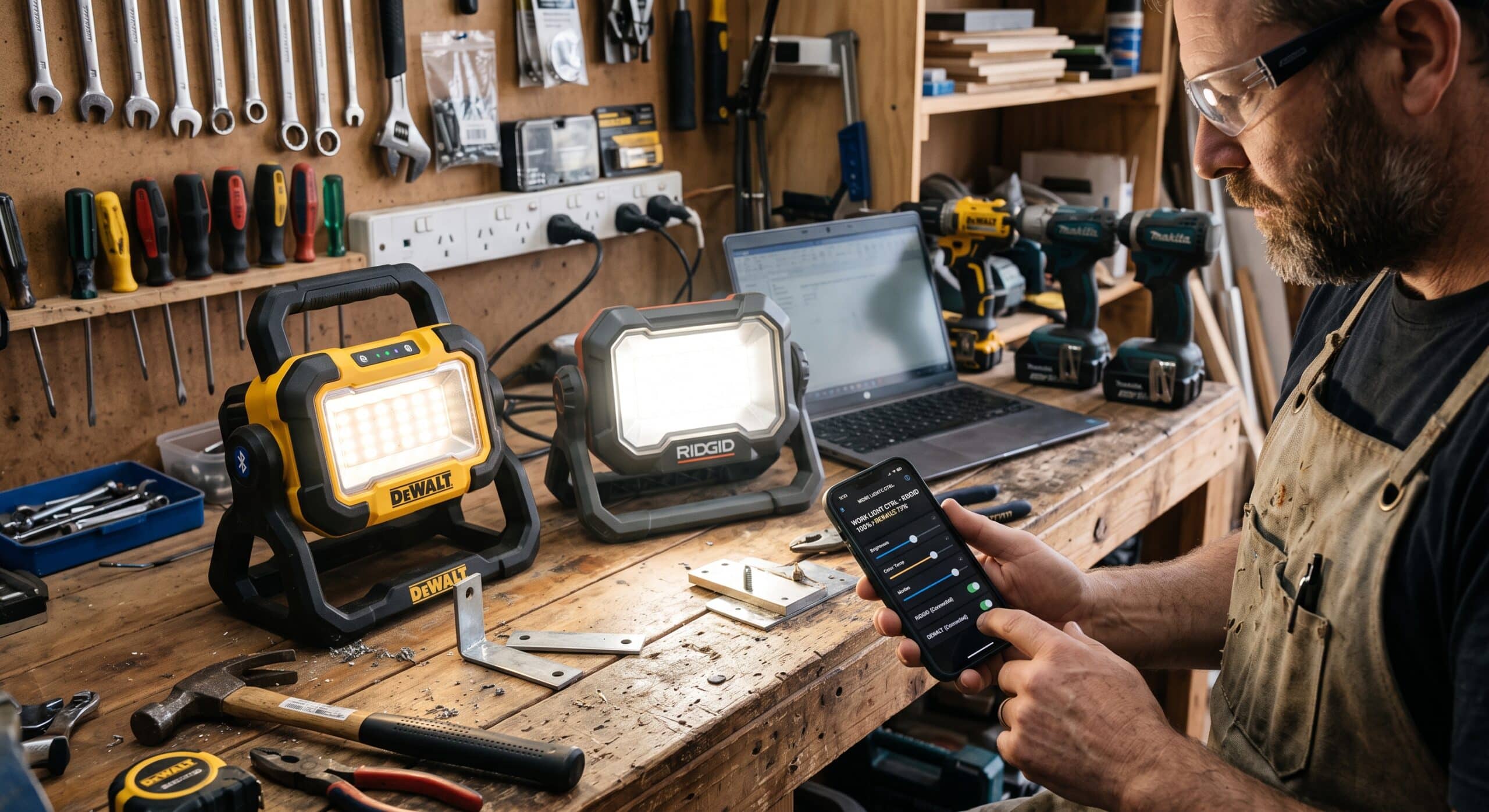
I have spent close to two decades pulling wire, troubleshooting panels, and finishing service calls after the sun goes down. If there is one piece of equipment that quietly changed how I run a job site, it is the work light. Not the light itself, exactly. It is what is now living inside it. A smart led work light does more than throw lumens at a dark crawl space. It talks to your phone and remembers your settings. The good ones sync with every other light on your truck. Some even warn you before the battery actually dies.
Homeowners ask me about these fairly often, usually while I am setting up in their basement. Apprentices ask too, right after they watch me dim four lights from my phone without touching a single one of them. So this is a walkthrough. I want to cover what Bluetooth and app controlled work lights actually offer. I want to show where the real differences sit between the popular options, and what I personally check before one earns a spot in my van.
Why job site lighting finally caught up with the rest of your toolbox
For most of my career, a work light was about as low tech as it gets. You had a halogen bulb in a cage, a cord, and maybe a stand if you were lucky. It got hot enough to brand your forearm. It broke if you looked at it wrong. Adjusting it meant walking over and moving it by hand, every single time.
LED changed the brightness and the durability — we’ve gone through that shift in more detail in our LED work light vs halogen comparison — and that part is old news at this point. Most crews made the switch years ago. What is newer, and what a lot of tradespeople have not fully caught up on, is the control layer sitting on top of the LED. Manufacturers realized something simple. Once a light already has a battery and a circuit board in it, adding a Bluetooth radio costs very little.
So now you get work lights that connect to an app. They remember your favorite brightness setting for a panel change versus a full room build out. They let you dim a fixture across the room without setting down your fish tape.
It sounds small on paper. On an actual commercial job, with six or eight lights running across a floor, it changes how efficiently you move.
What actually makes a work light “smart”
I want to be careful with this term, because marketing departments throw it around loosely. Not every light with an app connection is genuinely useful. Not every feature matters to every trade. Here is my practical definition of a smart led work light, based on what I actually use on the job.
The features worth paying for
Remote dimming and brightness control from your phone. You are not walking back and forth every time a task needs different lighting.
Color temperature adjustment, which matters more than people expect. A warmer temperature is easier on the eyes during long finish work. A cooler, bluer temperature works better for detailed inspection, like checking terminations or reading small print on a breaker.
Scheduling and timers, useful for exterior lighting on a remodel. Also useful for a light you want to shut off automatically.
Group control, so one app can talk to multiple lights at once. No more fussing with each fixture individually.
Battery and status monitoring. The app shows charge level and, on better units, flags maintenance issues early. None of that helps on a site with no truck or outlet nearby to recharge from, which is why a few crews have started experimenting with panel charged options — we weigh whether that’s actually worth it in Solar Rechargeable Work Light: Worth It?
Bluetooth speaker functionality. It sounds like a gimmick until a long solo service call, when music or a podcast off the same unit is genuinely nice to have.
Not every light on the market has all of these, and that is fine. The mistake I see people make is assuming smart automatically means better. A basic Bluetooth speaker light is a completely different product from a fully networked, app controlled fixture that manages brightness, color, and scheduling across a whole crew’s setup.
Bluetooth control versus a true companion app
This distinction trips people up constantly when someone is shopping for a smart led work light. Let me separate it clearly, because it genuinely affects what you should buy.
A Bluetooth work light typically has a radio for one narrow purpose. Often that is just audio streaming, so you can pair your phone and play music through a built in speaker. Some models also let you adjust brightness through a companion app, but the functionality usually stops there. It is a nice bonus layered onto an otherwise standard fixture.
An app controlled work light goes further. It is built around an ecosystem, where the light is one connected device among many. Milwaukee’s ONE KEY system is the clearest example in the trade. Compatible fixtures let you track inventory and set custom brightness presets. Some models even lock out theft prone tools electronically, all from one app tied to your account. DeWalt takes a similar approach with select fixtures in its Bluetooth Area Light lineup, connecting to its Tool Connect app for control and monitoring rather than just audio pairing.
The practical difference on site comes down to this. A Bluetooth speaker light is convenient. An app controlled fixture tied into a broader tool ecosystem is closer to an actual asset management tool. For a contractor running multiple crews, that distinction is worth real money.
The account requirement most people overlook
One detail catches people off guard. A true app controlled light usually needs an account with the manufacturer, not just a quick Bluetooth pairing. That means creating a login, keeping your phone updated, and occasionally dealing with app glitches or forced updates mid job. For a solo electrician, that overhead can feel like more than it is worth. For a crew managing a dozen fixtures across several trucks, the same account system is exactly what makes tracking and control possible in the first place. It is worth asking yourself which category you actually fall into before you commit to a platform.
The options I keep coming back to on real jobs
There is no single best smart led work light for every situation. The right pick depends on what battery platform you already run, and what type of work you do. Here is how the major categories break down, based on what I use and what other electricians on my crew rely on.
Milwaukee M18 RADIUS with ONE KEY
This is the light most commercial electricians I know reach for first, assuming they are already on the M18 platform. Reviewers at Tools in Action walked through the setup and control features in detail. Their conclusions match what I hear from other tradespeople. The app integration genuinely adds value beyond brightness control, particularly for tracking and theft deterrence on a busy commercial site. Pro Tool Reviews has also covered Milwaukee’s broader high output jobsite lighting lineup, and their testing backs up what I see in the field. The ONE KEY equipped models hold their brightness consistently, even as battery charge drops.
DeWalt DCL070 and DCL074
These area lights bring Bluetooth control to the DeWalt platform. ToolGuyd’s coverage of both units is a solid resource for the technical rundown on pairing and app function. I have used the DCL070 on hybrid corded and cordless jobs, where I needed a light that would not die during a long install. The Bluetooth dimming from across a room genuinely saves steps when you are elbow deep in a panel.
Standalone Bluetooth lights for lighter use
Beyond the major cordless tool brands, there is a growing market of standalone Bluetooth work lights aimed at general contractors and homeowners. Most bundle a speaker with basic app dimming. They tend to be less rugged and skip the ecosystem integration you get from Milwaukee or DeWalt. They are also considerably cheaper. For occasional use, that trade off is often reasonable.
If you are choosing between these categories, my honest advice is simple. Buy into whichever battery platform you already run tools on. The convenience of shared batteries outweighs almost any feature difference between competing smart lighting lines.
What I look for before a light earns a spot on my truck
After going through more of these than I probably should admit, here is my actual checklist, in the order I care about it.
Durability comes first, always. A light that cannot survive a drop off a ladder is useless, no matter how good the app is. I look for a solid IP rating and a housing that has clearly been tested for job site abuse. A magnetic base or a tripod mount decides how usable all that control actually is once you’re on site, so I weigh mounting just as heavily as the app.
Battery compatibility with tools I already own matters just as much. If I need a separate charger for one light, the smart features stop feeling smart. We go deeper on runtime and charging specifically in our guide to the rechargeable work light for contractors.
App reliability without total dependence on connectivity is non negotiable. A good smart work light should still function as a normal light if the Bluetooth connection drops. I have seen cheaper units where losing that connection meant losing control of basic brightness settings entirely.
True brightness output matters more than the number on the box. Lumens do not always match real world output, especially after months of repeated dimming through an app.
Color temperature range counts too. For detailed electrical work, especially anything involving color coded wiring, I want a light that leans cooler and whiter rather than warm and yellow.
Group syncing across multiple units rounds out the list. Commercial sites almost always mean more than one fixture running at once.
A quick story from a service call
A real example explains why any of this matters beyond specs on a box. A few months back, I had an evening call for a tripped breaker that would not reset. It was an older home, a finished basement, and almost no ambient light near the panel. I set up two smart led work lights, one aimed at the panel and one further back to light the whole room. That way I was not working in my own shadow. Panel work like this sits closer to the tight, awkward spaces we cover in our roundup of the best work lights for electricians in tight spaces than to general room lighting, and it’s worth picking your fixture with that in mind.
Halfway through tracing the issue, I needed to dim the light aimed at the panel. The reflection off the metal cover was making the labeling hard to read. The old way, I would have stopped, walked over, adjusted it by hand, walked back, and checked again, probably twice. Instead I pulled up the app and dropped the brightness on that one fixture by about forty percent. The room light stayed untouched, and I never broke focus on what my hands were doing. It is a small moment. Multiply it across every job in a year, and it adds up to real time saved.
Lighting rules you cannot ignore
This is not just about convenience. Adequate job site lighting is a safety requirement, not a suggestion. OSHA has clear expectations around minimum illumination for construction areas. Its standard interpretation lays out specific foot candle requirements by work area type. General construction zones need less light than detailed tasks like fine electrical work.
A smart led work light does not change that minimum, but it makes hitting it much easier. You can adjust and balance multiple fixtures from one spot. No more guessing whether a corner is adequately lit from across the room. For any electrician working near live components or fine gauge wiring, correctly adjusted light is part of doing the job safely.
How to choose the right one for your crew
If you are a homeowner shopping for your first smart led work light, keep it simple. A basic Bluetooth speaker light with app dimming, from a reputable brand, covers almost everything you need. Skip the ecosystem features built for commercial fleets.
Contractors and crew leads should think about it differently. App control and asset tracking, the kind that comes with platforms like ONE KEY, start paying for themselves once you manage lighting across multiple trucks. Seeing battery status remotely, or locking a tool electronically if it goes missing, is worth the premium if theft has ever been a real problem for your business.
Either way, do not buy on app features alone. Test the actual light output in person if you can. Check battery platform compatibility with what you already own. Read reviews from people who have used the fixture on real, dirty job sites, not in a showroom.
Budget matters too, and it is worth setting expectations early. A basic Bluetooth speaker light typically costs less than a standard corded halogen unit did a decade ago, which tells you how far the technology has come. A full ecosystem fixture, tied into a platform like ONE KEY, costs noticeably more, and that premium is really paying for the software and account system behind it, not just the bulb. I tell people to treat that difference as an investment in time saved, not just a light purchase, because that is genuinely what it is once you use one daily.
A few mistakes I see people make
I have watched plenty of contractors and homeowners buy the wrong smart led work light. It is almost always the same handful of mistakes.
Buying into a brand new battery platform just for the light is the most common one. Adding a light from a different brand means carrying another charger and another set of batteries. That extra bag in the truck gets old fast.
Trusting the marketed lumen count without checking real world reviews is another. Manufacturers measure output under ideal lab conditions: fresh battery, new bulb, controlled temperature. Real output often drops in an unheated attic in January, or a hot one in July. Third party testing from trade publications is worth far more than a spec sheet.
Assuming every app feature matters to your work is a third trap. Scheduling and timers are great for a contractor lighting a zone overnight for security. They mean almost nothing to an electrician who is only in a space for a few hours. Figure out which two or three features you will genuinely use.
Skipping the connection drop test rounds out the list. Job sites are full of interference: metal studs, thick concrete, other wireless devices competing for the same signal. A light that becomes hard to control the moment Bluetooth drops is a liability.
Ignoring warranty and repair support is the last one, and it gets overlooked constantly. A smart fixture has more parts that can fail than a basic halogen light ever did, including the circuit board handling the wireless connection. Before buying, I check how the manufacturer handles repairs, and whether replacement parts are actually available a few years down the road. A light that cannot be serviced becomes an expensive paperweight the moment one small component quits.
Final thoughts
Smart led work lights do not look impressive in a product photo. They genuinely change your workflow once you have used one for a few weeks. The Bluetooth and app controlled features are not novelty add ons. They solve a real, repetitive annoyance that every tradesperson who has worked with poor lighting understands immediately. The right choice comes down to matching the light to how seriously, and how often, you actually use it.
Frequently asked questions
What is the real difference between a Bluetooth work light and an app controlled work light?
A Bluetooth work light usually pairs with your phone for one narrow purpose, most often audio through a built in speaker, sometimes with basic dimming. An app controlled work light is part of a larger connected platform. It manages brightness, scheduling, and sometimes asset tracking across multiple fixtures. DeWalt’s Bluetooth area light lineup, covered in detail by ToolGuyd, is a good example of where that line sits in practice.
How bright does a smart led work light need to be for a typical job site?
It depends on the type of work being done in that area. OSHA’s published guidance on minimum illumination for construction work areas breaks this down by task type. Detailed electrical work generally requires more light than general circulation areas. You can read the full standard interpretation directly from OSHA.
Can I control multiple smart work lights from one app at the same time?
On platforms built for it, yes. Milwaukee’s ONE KEY equipped fixtures allow group control across multiple lights from a single app. Reviewers at Tools in Action walked through this in their hands on review of the RADIUS light.
Is Milwaukee ONE KEY actually worth it for work lights specifically?
It adds genuine value for lighting too, particularly for tracking, theft deterrence, and consistent brightness presets across a crew. Pro Tool Reviews has covered Milwaukee’s broader high output jobsite lighting lineup and how the ONE KEY features hold up under real use.
Do smart work lights still work if my phone is not nearby or the Bluetooth connection drops?
A well built one should still function as a normal work light with manual controls, even without an active app connection. This is worth confirming before you buy. Cheaper units sometimes tie basic functions too tightly to the app.
Where can I find the exact OSHA foot candle requirements for construction lighting?
The clearest source is OSHA’s own standard interpretation document. It lists specific illumination levels for different categories of construction work, available directly at osha.gov.
References
Milwaukee High Output LED Jobsite Lighting, Pro Tool Reviews
DeWalt FlexVolt DCL070 Bluetooth LED Area Worklight, ToolGuyd
Milwaukee One Key Radius Light Review, Tools in Action
New DeWalt DCL074 Cordless Worklight with Bluetooth, ToolGuyd
Milwaukee M18 RADIUS Compact Site Light with ONE KEY Review, Tool Box Buzz